Product Design for logistics SaaS
Designing an operations dashboard that tells
a fleet dispatcher which vehicles need attention
before they have to go looking for them.
Client
Ampra
Problem area
Surfacing critical vehicle decisions for EV fleet dispatchers
Services provided
Product design, Design system, React + Tailwind live demo
Deliverables
React Components, Dashboard UX, Design System
TIMELINE
2 Weeks
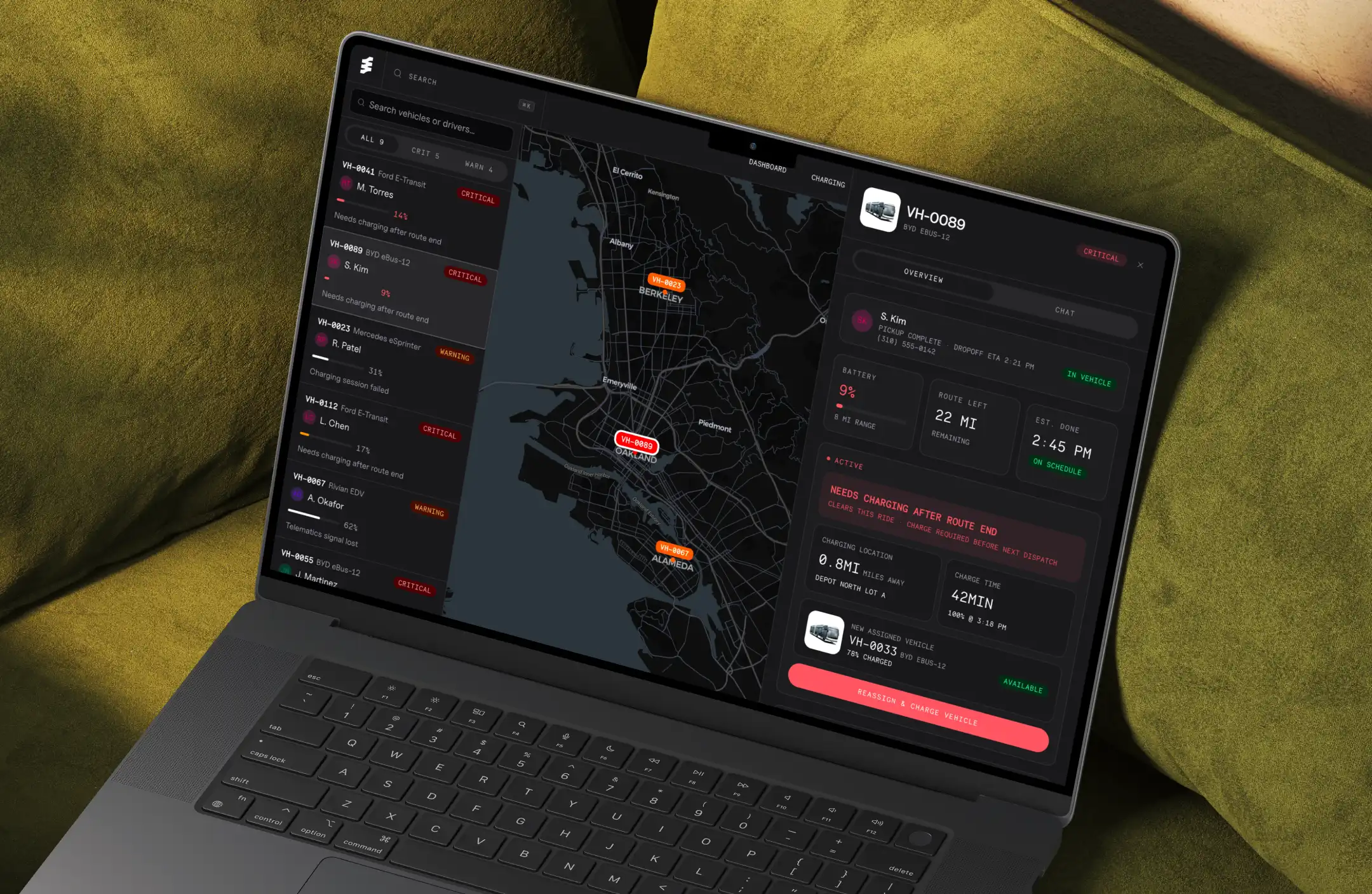
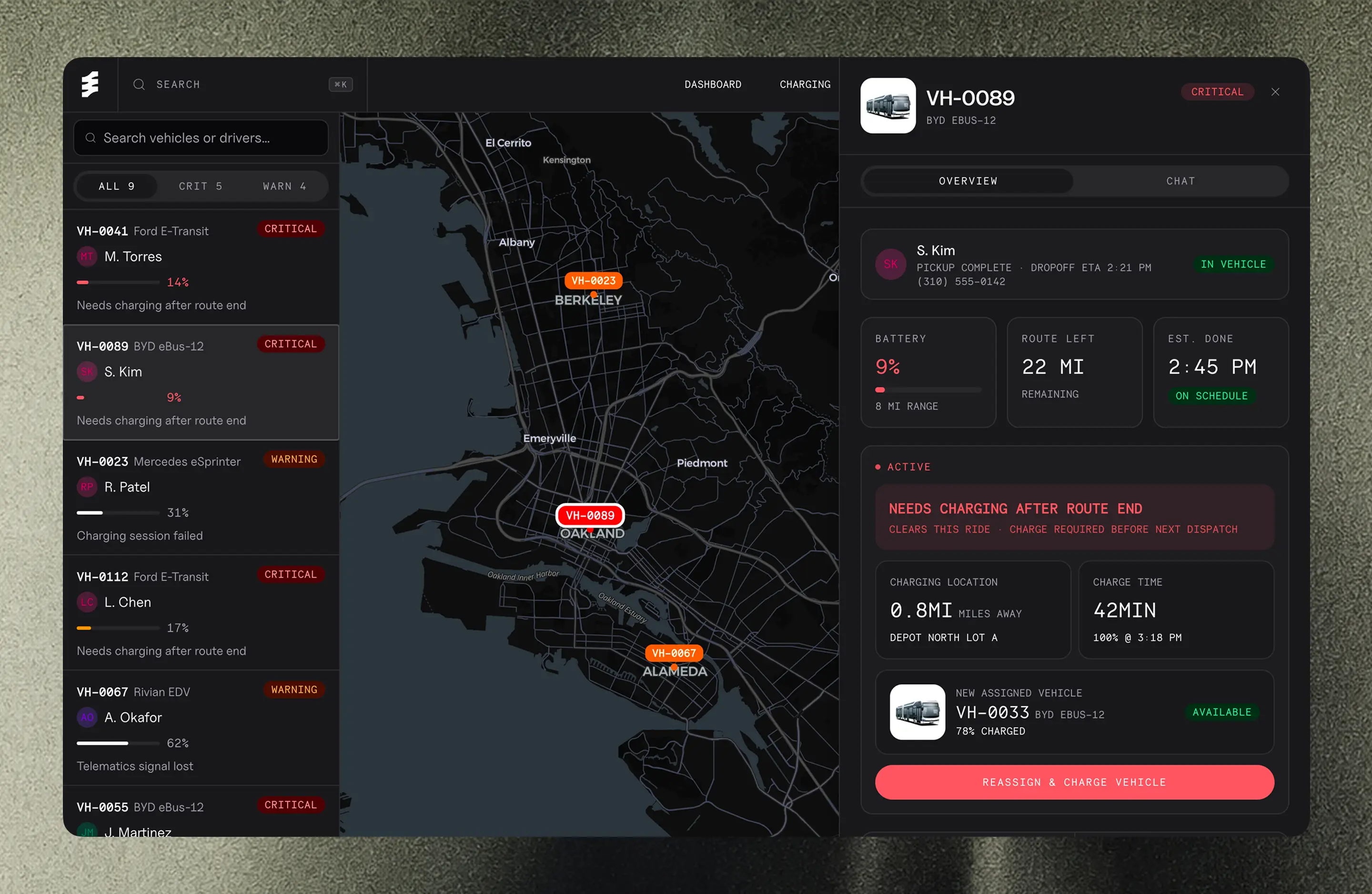
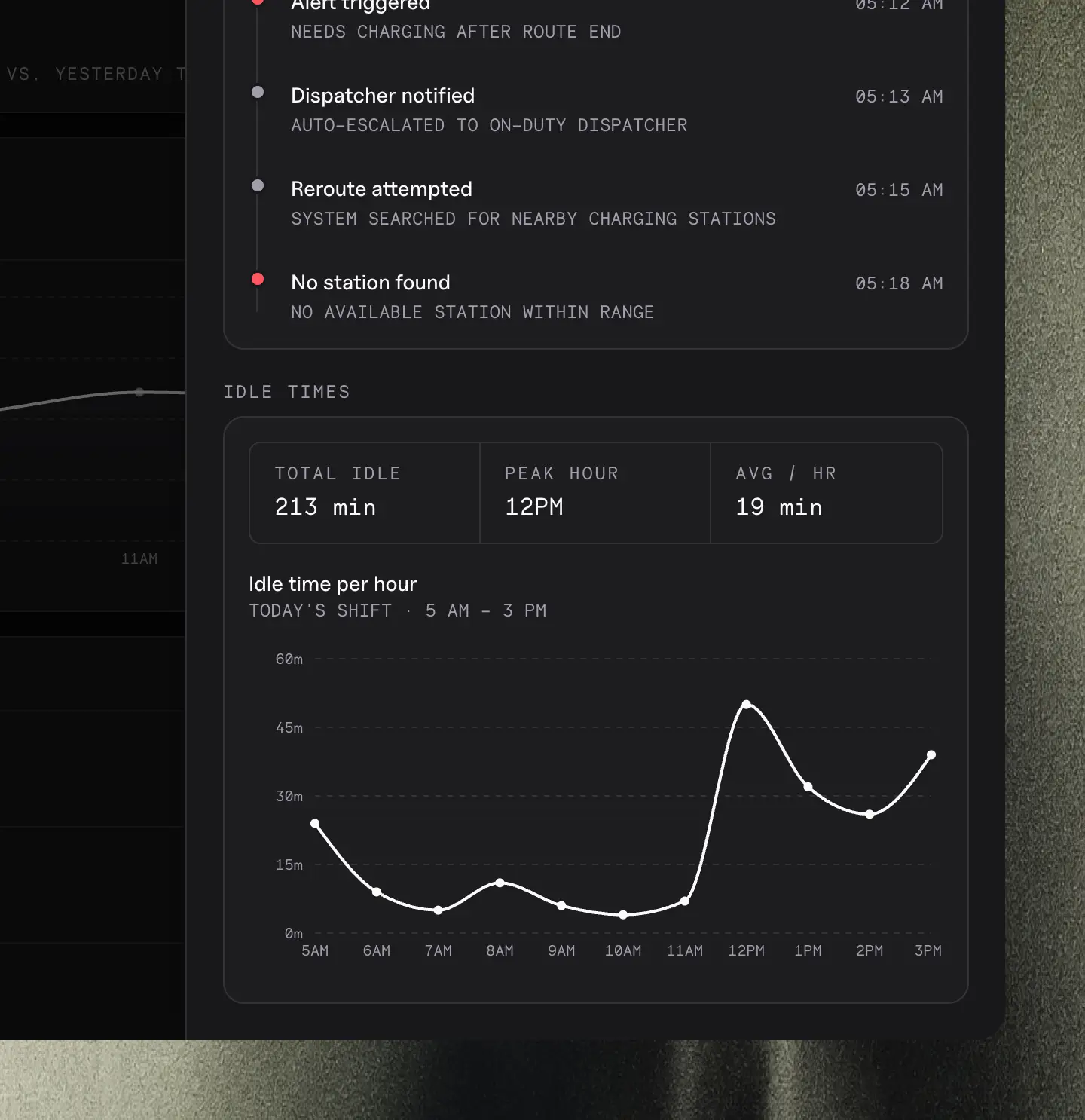
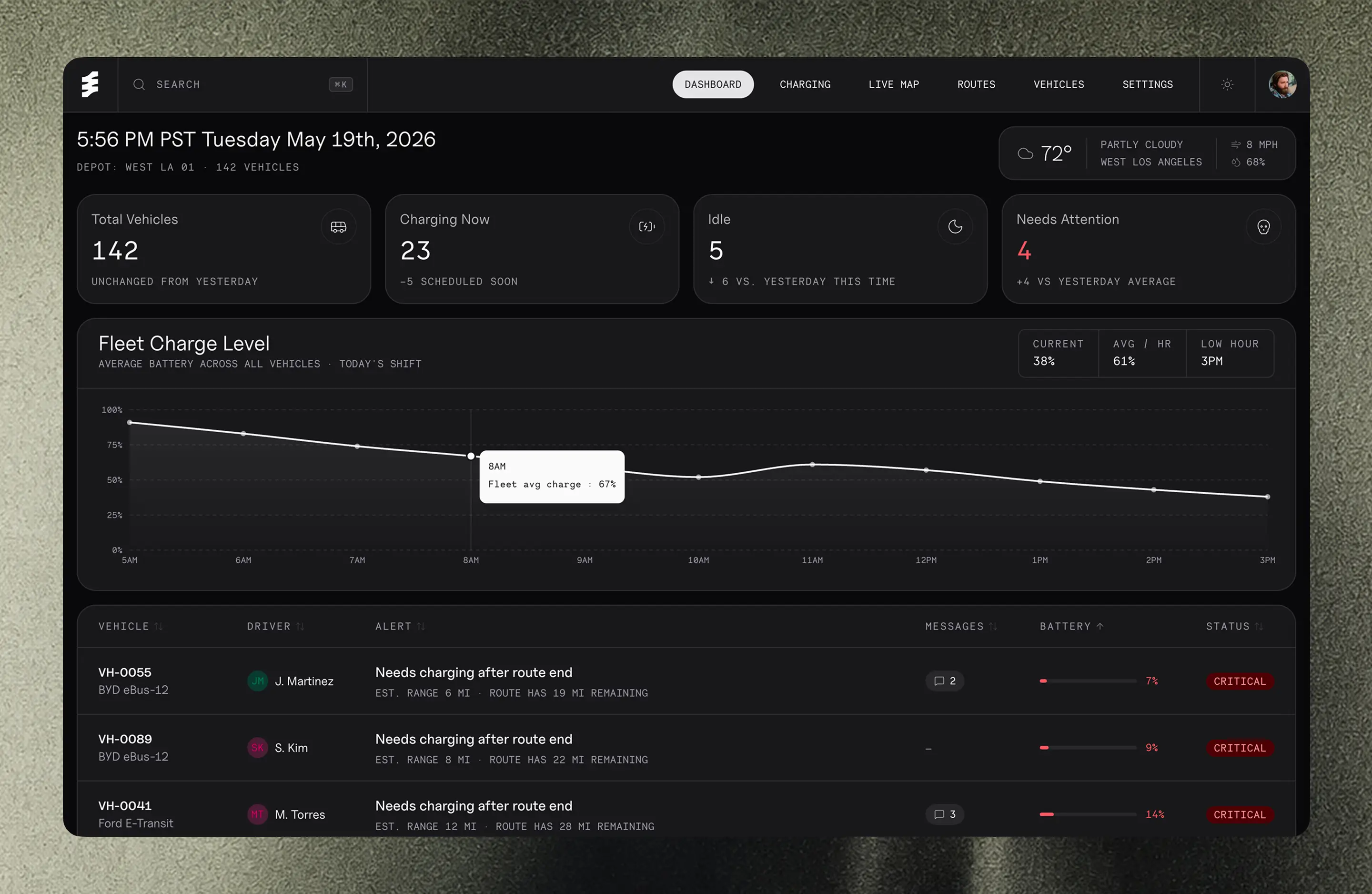
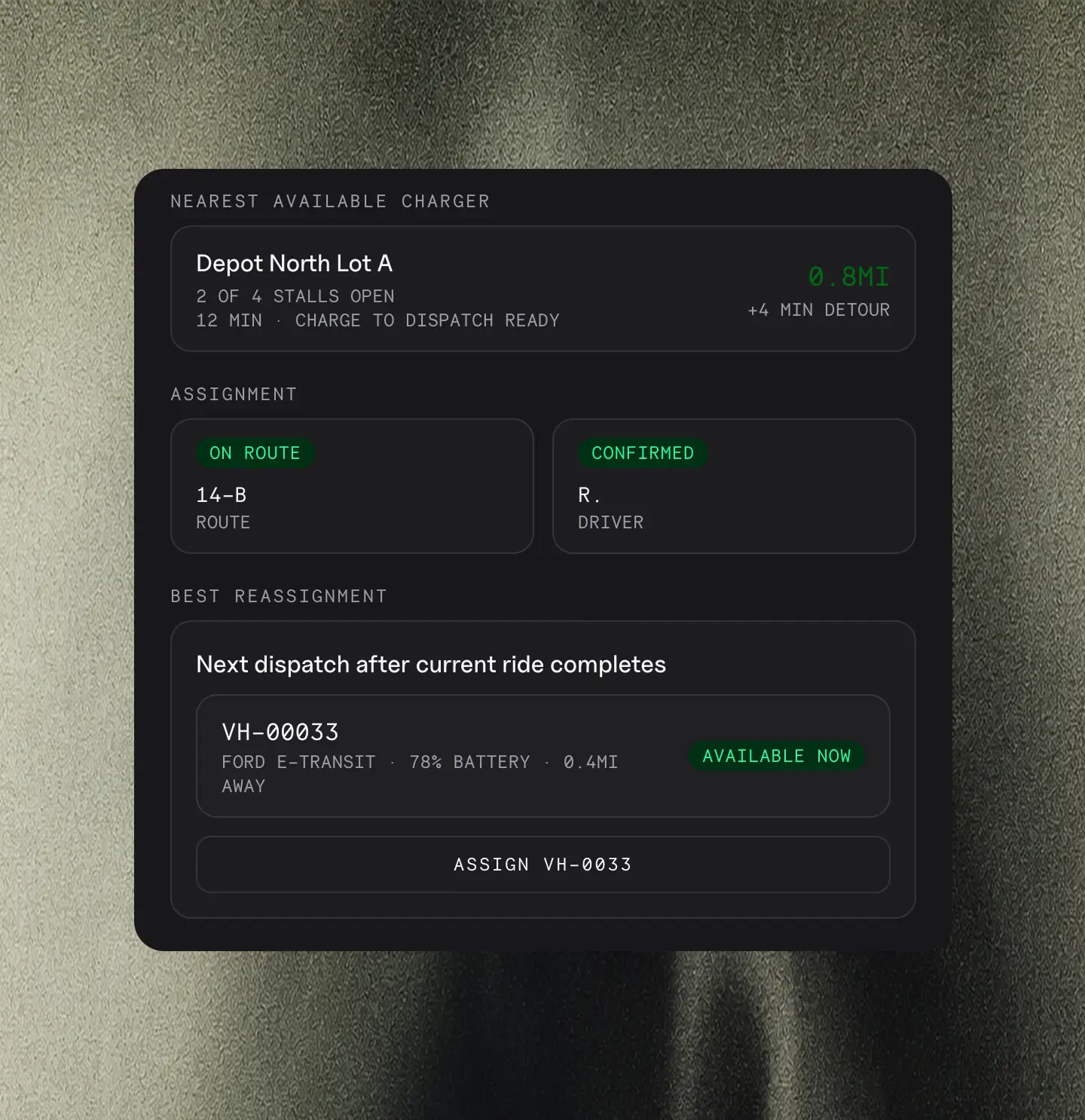
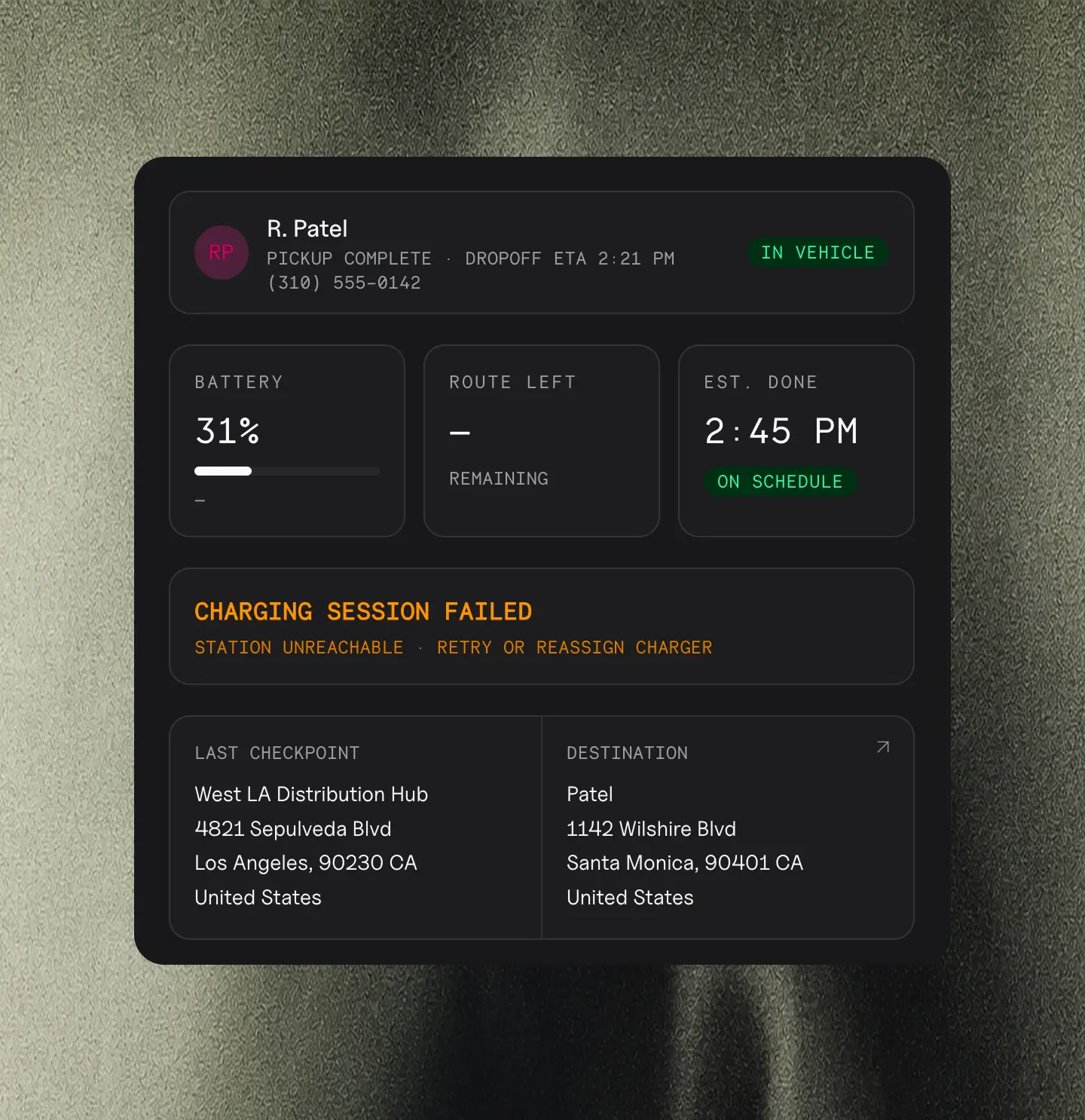
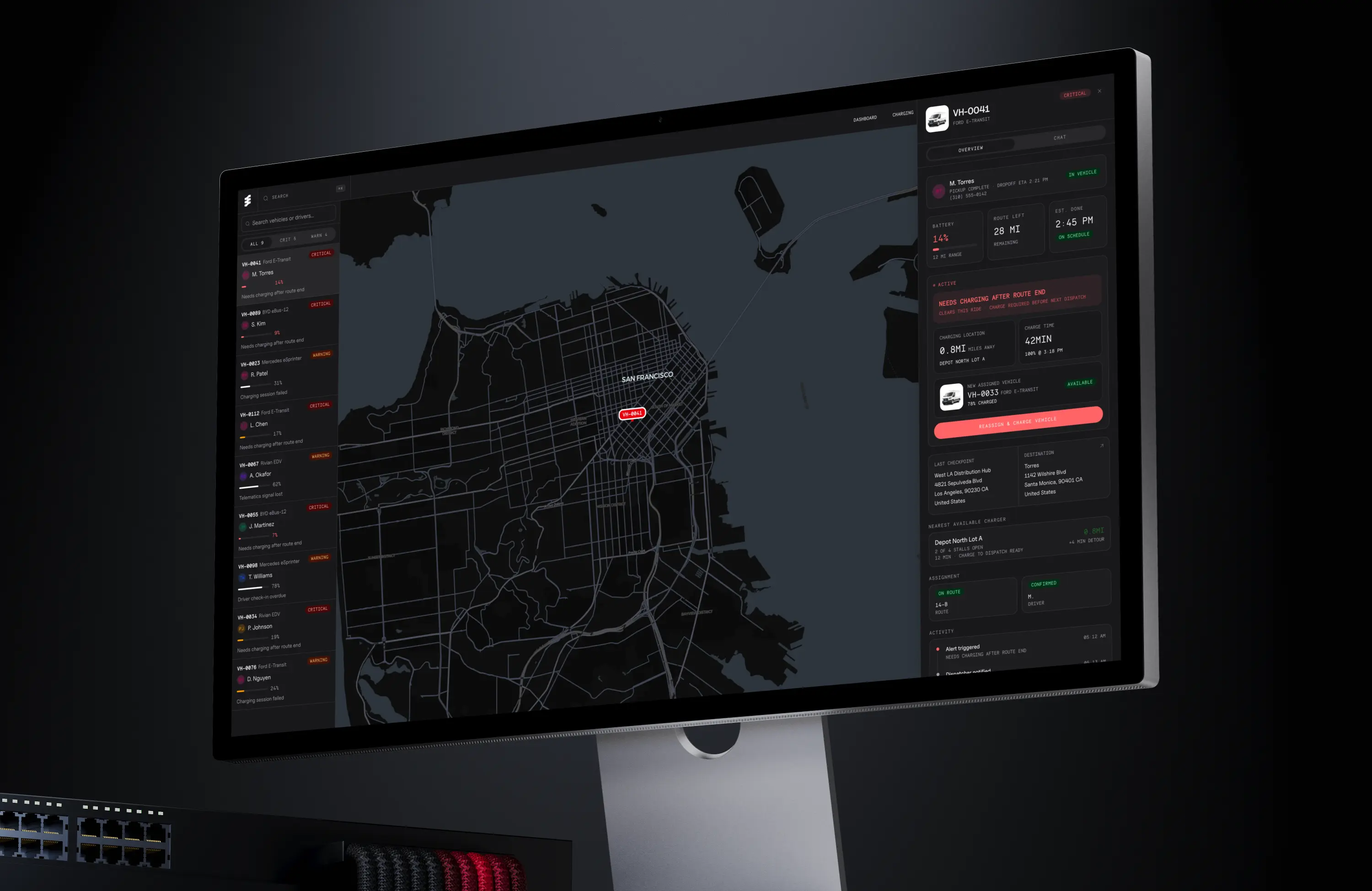
Vehicles are prioritized by urgency, not alphabetically or by vehicle number. VH-0055 at 7% battery with 19 miles remaining on a route surfaces at the top — not buried in a list of 142 vehicles.
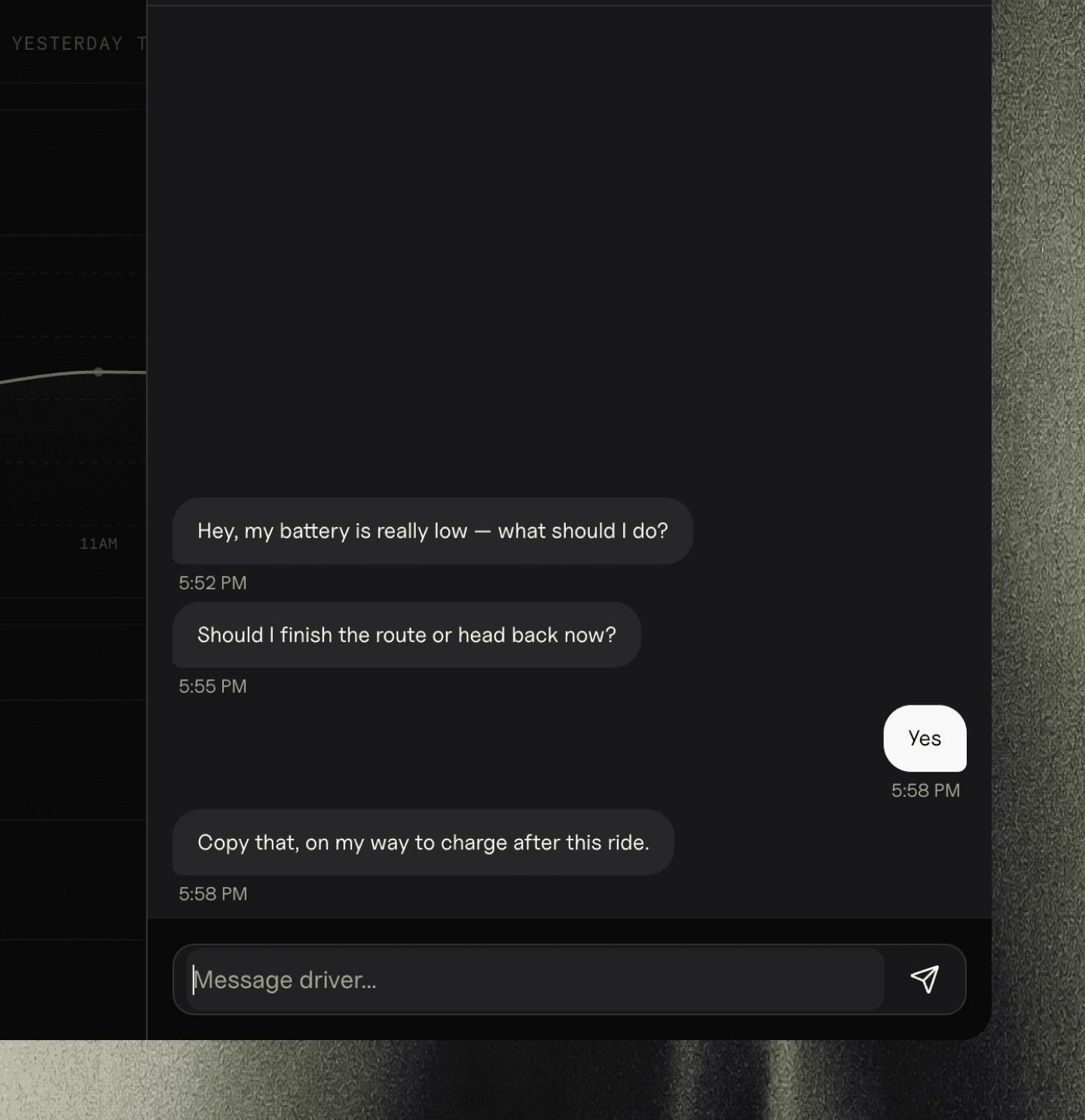
The dispatcher sees the problem and acts. They don't go looking for it.
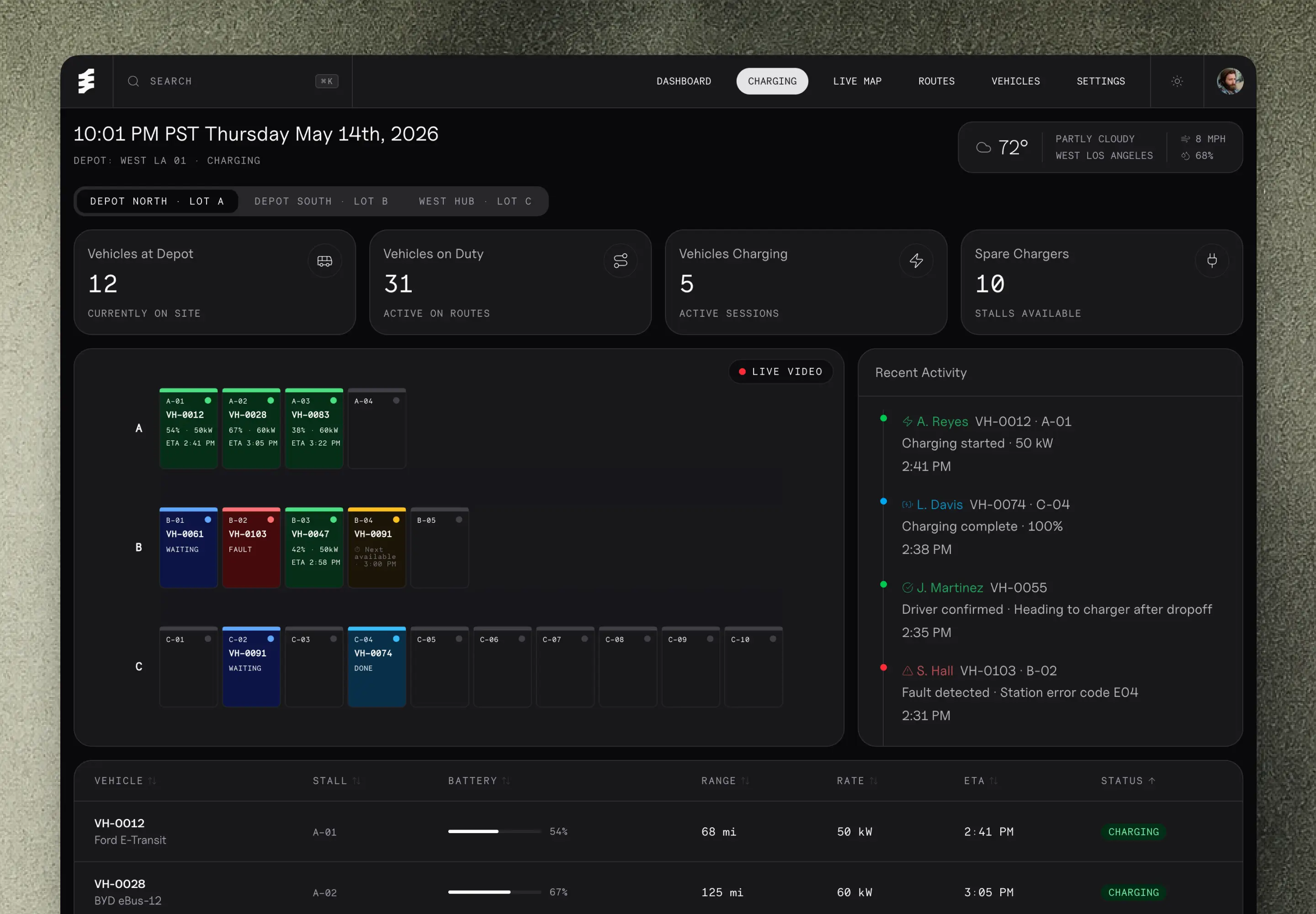
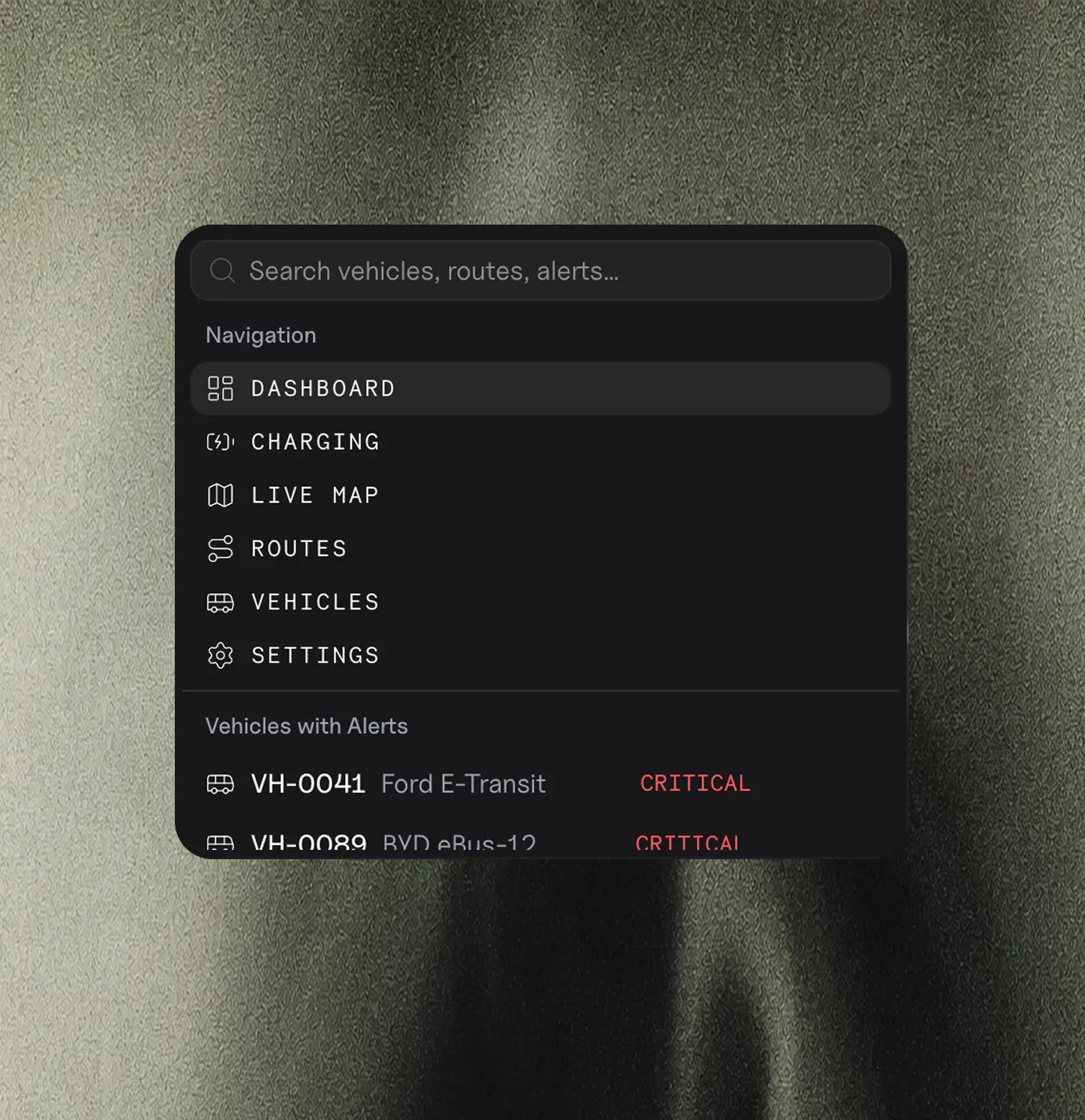
From Flowchart to a Back End Ready React Prototype
UX research, developing customer journeys, building a design system, extensive UI design & prototype development.
Step 1 — Flow mapping
Mapped the full dispatcher workflow in Figma before designing a single screen. Every state, every decision point, every edge case.
Step 2 — Figma for direction
Visual hierarchy and component structure. Not pixel-perfect specs — enough to move into code with confidence.
Step 3 — Built in Claude Code + VS Code
Designed and iterated directly in React + Tailwind. Fast decisions, no wasted screens.
Step 4 — Live demo
The output is a working browser-based dashboard your dev team can build from on day one.
The Results
142 vehicles. 3 questions. Answered in under 10 seconds.
Before Ampra, dispatchers were cross-referencing spreadsheets and tool tabs to figure out which truck to assign next. Now the dashboard surfaces every critical decision the moment their shift starts. No hunting. No guessing. No missed deliveries.
A note on complexity
Ops-heavy products don't need simpler interfaces. They need clearer ones. The goal was never to hide the complexity of managing 142 vehicles.
It was to surface the right information, in the right order, at the right moment. That's the difference between a dashboard and a control panel.
